Describe the job. We hand back something on a real phone.
Three apps on this site were taken from an idea to a signed release on the Play Store by the same studio that would build yours. Design, code, maps, sign-in, notifications, the privacy policy, the store listing, the data-safety form. All of it.
Small, specific software.
We are not the right people for a platform with forty screens and a board deck. We are the right people for one job that keeps costing you time.
A customer-facing app
On the Play Store under your own name, with phone or email sign-in, notifications, maps and the policy pages a real listing needs before Google will approve it.
An internal tool
The spreadsheet that has outgrown itself — bookings, stock, job cards, attendance, delivery runs — turned into something your staff can use one-handed on a phone.
Something personal
A single-purpose app for a club, a shop, a temple committee, a small clinic. A tightly scoped app is not a lesser one, and it is what we do best.
A website that is not a template
A real site for your business, hand-built and fast — the kind you are reading now. Hosting, domain and the boring set-up handled.
Getting an app onto the Play Store
You have something built and stuck. Signing, closed testing, policy pages, data safety, the review rejections — we have been through all of it recently enough to remember.
Fixing what already exists
An app that crashes, an app nobody can use, an app whose developer disappeared. We will read it, tell you honestly what it needs, and say so if the answer is to start again.
You pay for six stages, not one mystery lump sum.
Building an app is not one job, it is six — and each is a different amount of work depending on what you are asking for. We price them separately, show you the whole sheet before starting, and add it up to a single number you agree to in advance.
Blueprint
Working out what the app actually is, before anyone draws or codes anything. Every screen listed, every rule written down, and what it will deliberately not do. This is the stage that stops a project quietly doubling in size halfway through — and it is yours to keep, whoever ends up building it.
Theme and identity
Colours, typography, the app icon, the launcher icon, the store graphics. The part that decides whether people trust the app in the first three seconds. If you already have a brand we work inside it; if you do not, we make one.
Design and features
Every screen drawn and every interaction decided, feature by feature, for you to approve before a single one is built. Changing a drawing costs an afternoon. Changing a built feature costs a week.
Build
The app itself — screens, database, sign-in, notifications, maps, payments, whatever the blueprint called for. You get installable builds as it goes, not a reveal at the end.
Testing on real phones
Not an emulator. Mid-range Android, three-button navigation, large font sizes, a bad connection, a fresh install and an upgrade over an old one. This is where most apps quietly fall over, so it is priced as its own stage rather than hidden inside the build.
Release
Signed build, store listing, screenshots, the data-safety declaration, the privacy policy, terms and account-deletion pages, closed testing, then public. Under your account, in your name.
A handful of screens, no accounts, nothing running on a server. A club, a shop, a temple committee, a single-purpose tool.
Sign-in, a database behind it, notifications, a real Play listing. This is the size of the three apps on this site.
Payments, maps, machine learning, several kinds of user with different permissions. Quoted against your blueprint, not guessed.
Simple₹40,000What this actually builds
A shop, a clinic, a temple committee. One job, six or seven screens, and the transaction itself still happens where it always did — a phone call, a WhatsApp message, a visit.
- What it does. A list of whatever you offer, a screen per item, your hours and directions, and a button that opens a call or WhatsApp. Content you can change without a new release.
- What it does not do. No sign-in, no user accounts, nothing running on a server, no payments inside the app. That is what keeps it at this price.
- What you still get. Your own Play listing, your own developer account, tested on real mid-range phones, and the privacy and account pages Google requires.
About three weeks from blueprint to a build you can install.
Sketches, not a shipped app — we have not built this one. Everything below this band is a real screenshot.
With accounts₹85,000What this actually builds
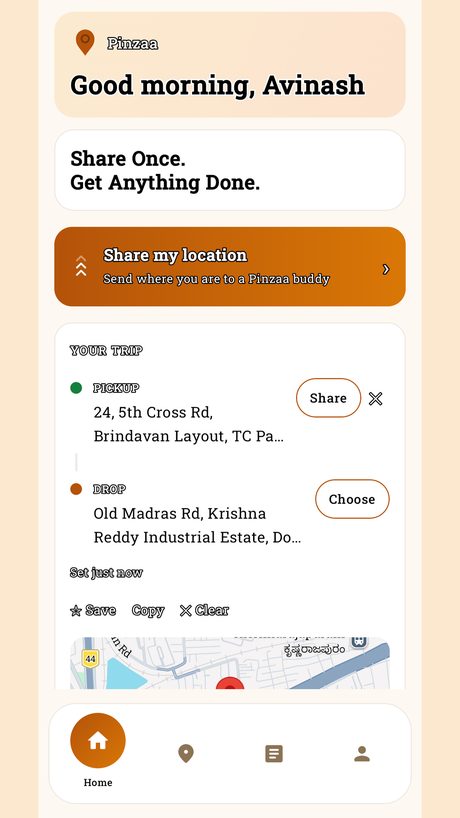
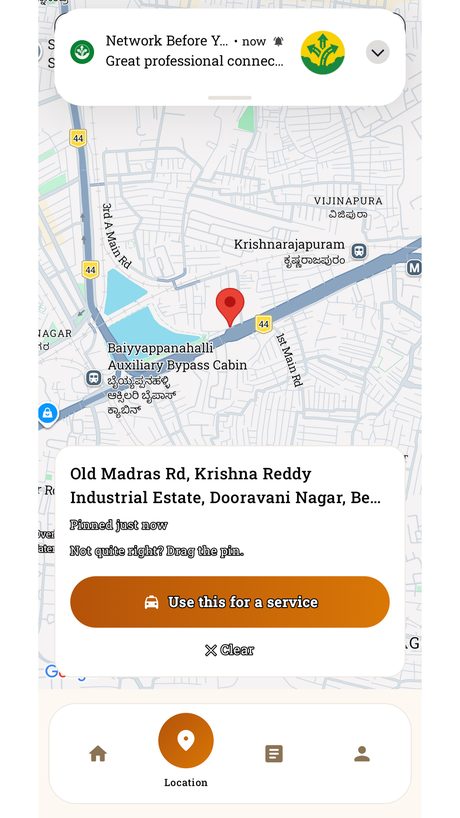
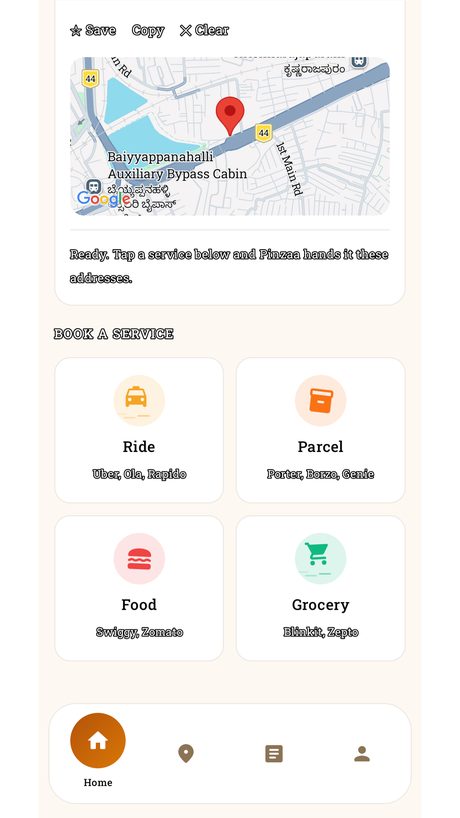
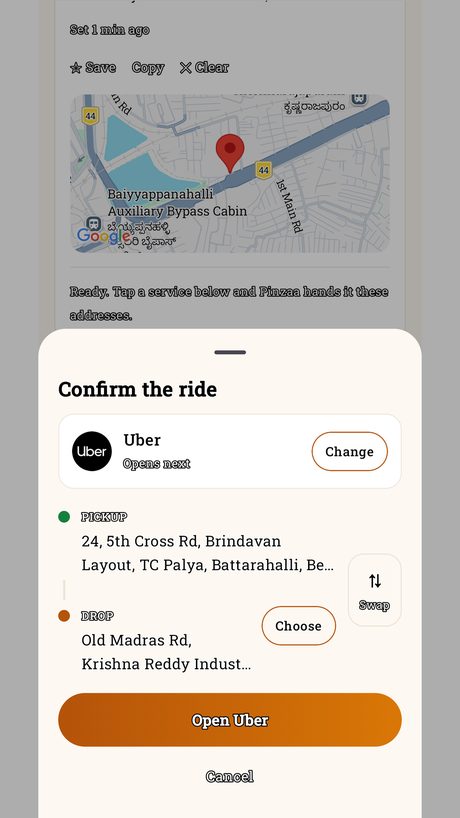
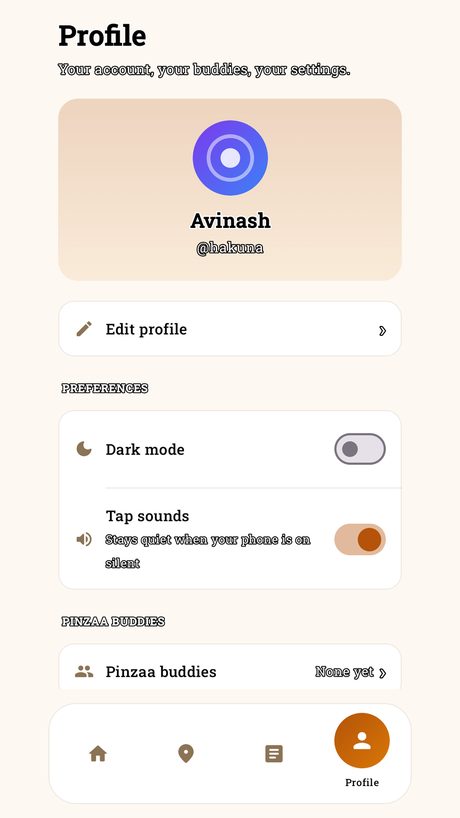
This is Pinzaa, on this site, in the Play review process now. Every screenshot here is the real app.
- What it does. Phone sign-in, a database behind it, places saved and synced across your devices, deep links into a dozen other apps, and a share flow that had to work first time.
- Where the cost goes. Accounts and a server change everything — data that has to survive a reinstall, rules about who can read what, and a privacy position you can defend. About twelve screens rather than six.
- What you still do not get here. Payments, machine learning, or several kinds of user with different permissions. Those are the next band.
Six to eight weeks, plus Google’s review and a closed test.
Complexfrom ₹1,50,000What this actually builds
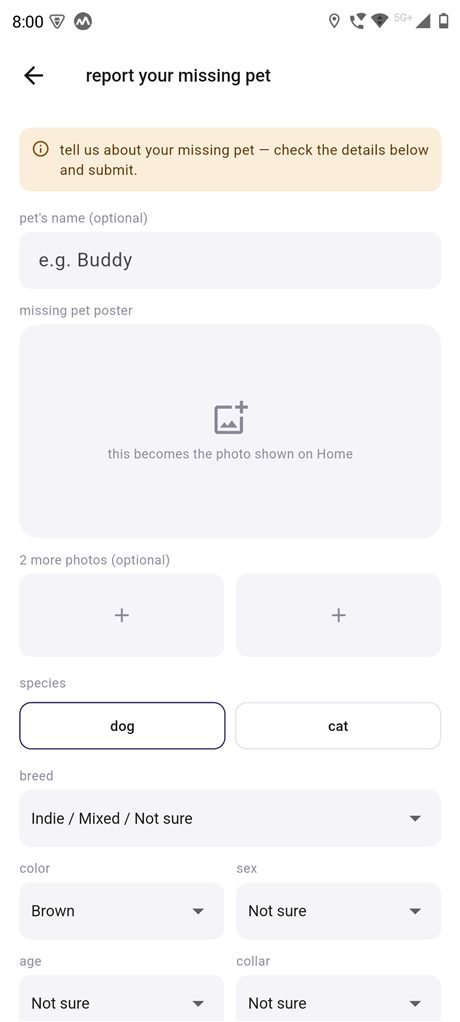
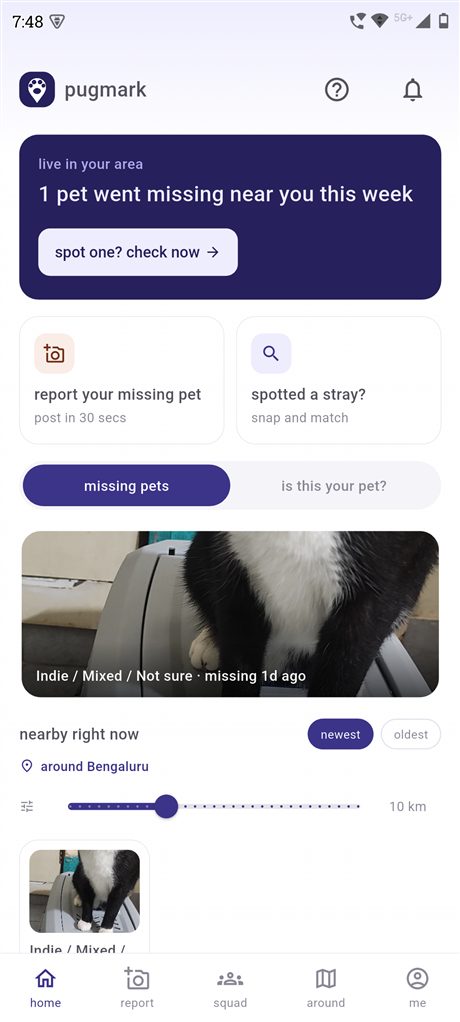
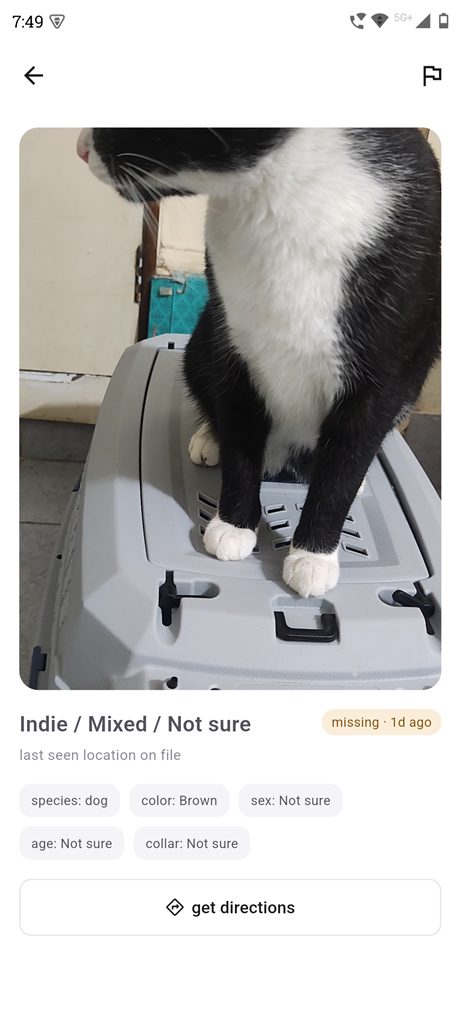
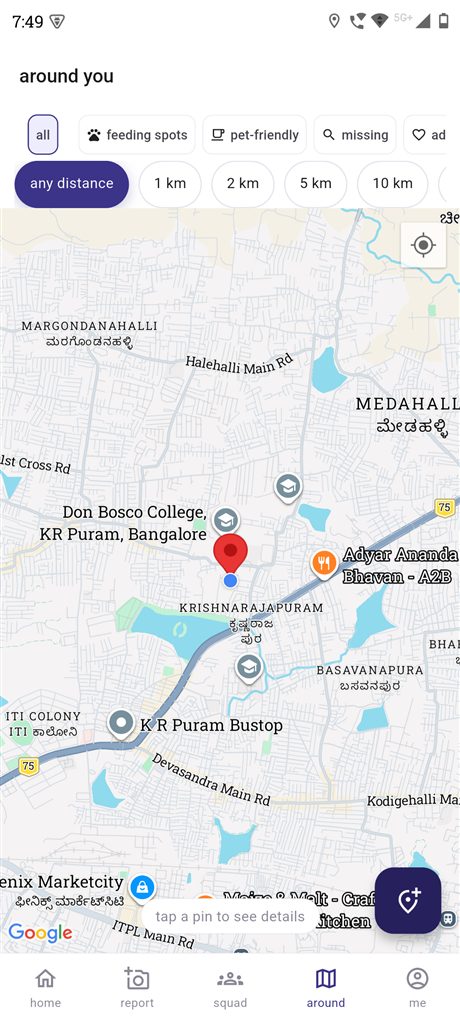
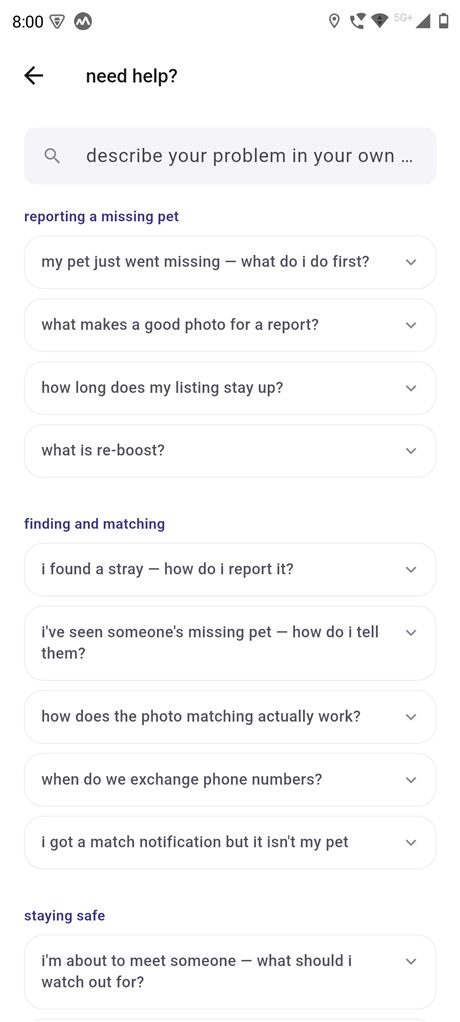
This is Pugmark, live on Google Play’s closed track. Every screenshot here is the real app.
- What it does. Photo matching that runs on the phone rather than a server, a live map of everything nearby, notifications, several kinds of listing, search squads, moderation and reporting.
- Where the cost goes. Machine learning on-device, maps that stay usable on a bad connection, and the moderation an app carries once strangers are meeting each other through it. None of that is a screen you can draw and then build.
- Why it is quoted, not fixed. At this size the blueprint is the price. Two apps with the same screen count can be a month apart, so we write the whole thing down first and price against it.
Three months and up, depending entirely on the blueprint.
Google’s bills, and the tools. Not ours to mark up.
These are paid by you, at cost, on your own card. We do not add a margin, and we do not put them through our account. Two are one-off, the rest only start when the app actually needs them.
One payment, once, for life. Every app you ever publish sits under it. Paid to Google in your name — see Who publishes it below for why that matters.
Sign-in, database, notifications and file storage run free on Google’s Spark plan, and most small apps never leave it. When yours outgrows it you move to pay-as-you-go and Google bills your card directly. We tell you before building anything that will need it.
Anything the app itself needs from somebody else — map tiles and geocoding, SMS for phone sign-in, a payment gateway’s cut. Most are free until real usage and then billed per use. We name every one in the blueprint with a rough monthly figure at your size, so nothing turns up on your card unannounced.
Optional, and only if you want one. A privacy policy has to live at a public address, and yours looks better on your own name than on a free subdomain.
Apple charge yearly rather than once, and they do not waive it. We build Android first and say so plainly — adding iOS is a decision worth making with numbers in front of you.
Everything. Including the keys.
This is the difference between an app you own and an app you are renting from whoever built it.
The accounts are yours
Firebase, Google Cloud and the Play Console are set up under your Google account from day one, if that is what you want. We work inside them as a guest and hand back full ownership at the end — including the app signing key, without which nobody can ever update your app.
The source code is yours
In your own private repository from the first commit, not handed over as a zip at the end. Nothing is held back, and you are free to take it to somebody else at any point.
Google is paid directly by you
The Play Console’s one-time developer fee, and Firebase’s Blaze plan once the app needs it, are billed by Google to your card — not marked up through us. We tell you before building anything that will need paid usage, and roughly what it costs at your size.
Somebody should tell you what you are liable for.
Assessing applications for risk is the day job. It is also the reason our scopes have fewer surprises in them.
Most small apps collect more than their owner realises — a phone number here, a location there, a photo kept for longer than anyone intended. That is fine until somebody asks who is responsible for it. We look at an app the way an auditor would, and tell you plainly what we find.
What you are actually holding
Every piece of personal data the app collects, where it goes, how long it is kept and who can see it — including the parts nobody chose deliberately.
What will get it rejected or pulled
What Google will refuse at review, and the slower problem — what gets an app removed months later, once it has real users and a real reputation attached.
A note you can act on
Written in plain language, ordered by what matters. Each item says what it would take to fix, and what happens if you decide to live with it.
Available as part of a build, or on its own for an app somebody else made. Priced separately, so you can see what it costs and decide whether you want it.
Two ways to get on the Play Store.
Both end with the app belonging to you. The difference is only how much of the setup you want to handle yourself.
For a business that treats the app as an asset it will keep developing.
- Play Console, Firebase and the code repository all in your name
- You hold the upload key and the account credentials
- We work inside your accounts as a guest and step out at the end
- Nothing to transfer later, because it was never ours
For a small business or a personal app that would rather not deal with a developer account at all.
- We open the Play Console in your name, billed to you — you are the owner from the first day
- We are added as an administrator and do the work inside it
- Google’s one-time developer fee and any Firebase usage go on your card, not marked up
- Remove our access whenever you like — nothing is locked and there is no exit fee
An app is not finished when it ships.
Android changes, Google’s policies change, and your business changes. Two ways to keep up — use either, both, or neither.
A standing appointment to go through the app together.
- What people are actually doing in it, and where they get stuck
- Crashes and errors from the past month, found and fixed
- Android and Play policy changes coming that will affect you
- A short written note afterwards, so nothing rests on memory
No retainer and no commitment. Book an appointment whenever something needs to change.
- Book through this site, any time
- A price for the change before we start it
- Small fixes to something we built stay small
- Nothing ticking along in the background costing you money
The questions we get asked first.
Honest answers, including the ones that talk you out of spending money.
How much does it cost to build an app in India?
Anywhere from a fortnight of work to several months, which is why a single figure on a website would be dishonest. What decides it is the number of screens, whether it needs accounts and a database behind it, and whether it touches payments or maps. We price the six stages separately and send you the whole sheet before you commit — that quote is free, and yours to take elsewhere.
How long does it take?
A single-purpose app with a handful of screens is usually a few weeks from blueprint to a build you can install. Something with accounts, roles and a backend is measured in months. Google’s own review adds days at the end, and a closed testing period before a public launch adds more — we build that into the timeline rather than surprising you with it.
Do I own the app and the code?
Yes, entirely. The source lives in your own private repository from the first commit, and at the end you hold the Firebase project, the Play Console account and the app signing key — without which nobody, including us, can ever push an update. You are free to take it to another developer at any point.
Can you put an app I already have onto the Play Store?
Yes, and it is a common job. Signing, the closed testing requirement, the data-safety declaration, the privacy policy and account-deletion pages Google now insists on, and the rejections that come back if any of it is wrong. We have been through all of it recently enough to remember the details.
Do I need a registered company to publish on Google Play?
No. An individual developer account works, and plenty of live apps run on one. A company account asks for more paperwork and shows your organisation name on the listing instead of a personal one. We will tell you which fits before you pay Google’s one-time fee, not after.
Native Android or Flutter — which should I choose?
Native Kotlin gives the smoothest result and the best access to the phone itself; Flutter gets you Android and iOS from one codebase, which matters if you need both. We have shipped both — Pinzaa is native, Pugmark is Flutter — so the recommendation depends on your job rather than on what we happen to know.
Do I actually need an app?
Often not. If your customers would use it twice a year, a good mobile website will serve you better and cost far less. An app earns its place when people come back often, when it needs to work with a bad connection, or when it needs the camera, notifications or location. We will say so if we think a website is the right answer.
My app will hold customer data. Is that a problem?
It is a responsibility rather than a problem, but it is one most small businesses take on without being told. If your app holds names, phone numbers, locations, photos or payment details, you carry obligations for them — and India’s data protection rules apply to a shop with one app just as they do to a large company. We can go through an app, ours or somebody else’s, and tell you what it collects, what your exposure is and what would reduce it. That is a separate piece of work with its own price, and it is not legal advice — if something needs a lawyer we will say so.
Do I need my own Google Play developer account?
You need one, but you do not have to set it up yourself. If you would rather not deal with it, we open the account in your name and billed to your card, and you add us as an administrator so we can do the work inside it. You are the owner from day one and can remove our access at any time. What we will not do is publish your app under our own developer account — that would make us answerable to Google for an app that is yours, and would mean you could not leave without our help.
Will you show my app to other people?
Only with your agreement, and only the parts you are happy with — usually a few screenshots and a sentence about what the app does. Anything commercially sensitive stays out, and we ask before anything goes on this site. If you would rather we never mention the project at all, say so and we will not.
What do you need from me to start?
A conversation, not a specification. Describe what goes wrong today, who it goes wrong for, and how you handle it now. Anything you already have — a spreadsheet, a WhatsApp group, photos of the paper forms your staff fill in — is more useful than a document written in technical language.
Start with a conversation.
Tell us what it needs to do. You will get an honest answer about whether it is worth building — including if the answer is no.